Creating a hypothesis
A hypothesis is a written prediction about what will happen if you ship something. In Hypothesis Lab you write it as a causal chain — the steps that connect what you build to the outcome you want.
This page walks through creating one from scratch.
1. Open the creation flow
From any page, click + New Hypothesis in the top-right of the navigation bar.

2. Pick a template
Hypothesis Lab gives you 14 pre-structured templates plus a fully custom option. Each template shapes the causal chain for that kind of bet — e.g. a Pricing Change chain looks different from an Onboarding Optimization chain. Custom Chain lets you build your own with 2–5 steps.
If you're not sure, pick the one closest to your situation. You can always edit every step afterwards.
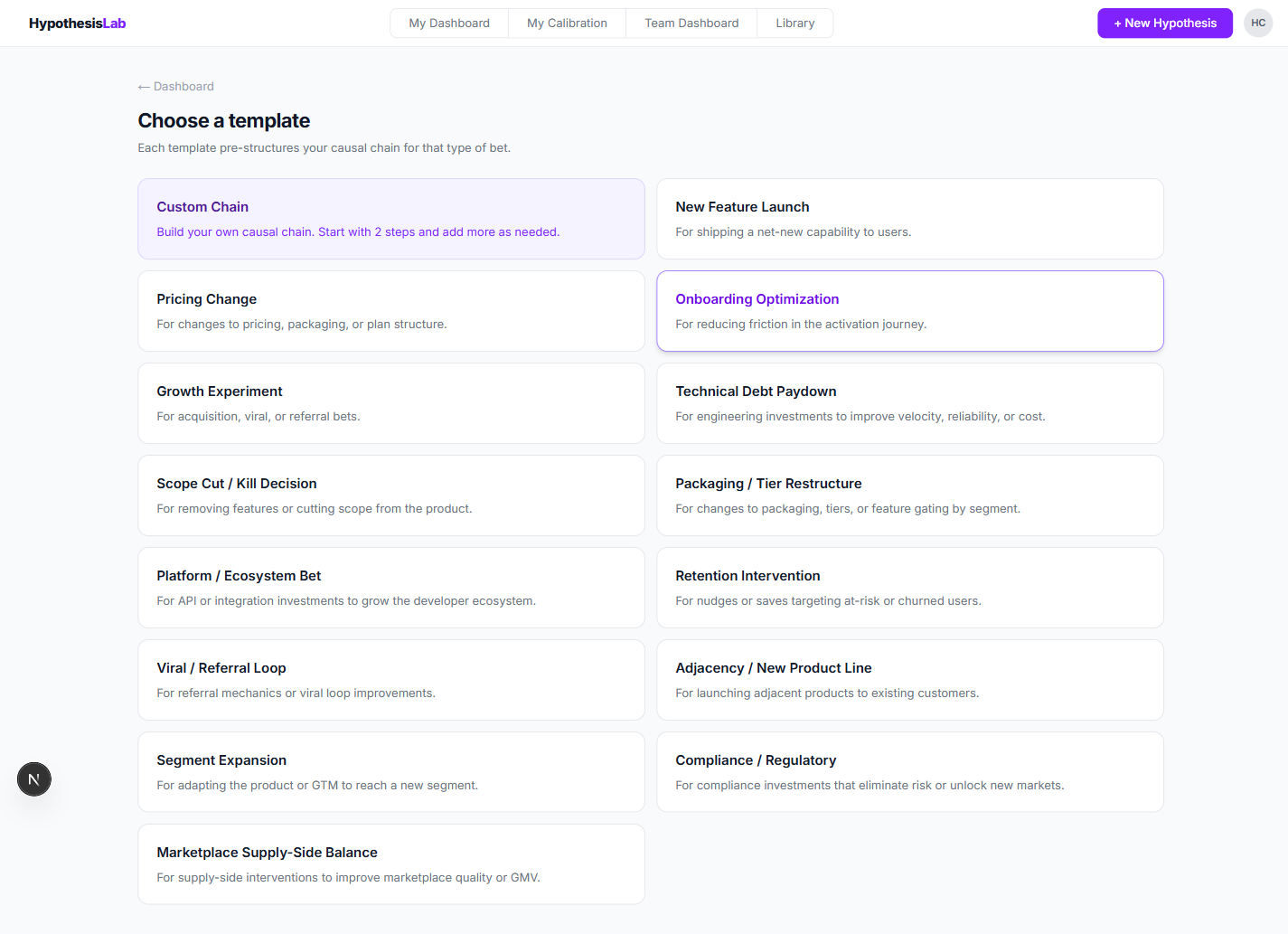
3. Step 1 — Claims
The creation flow has three steps, shown in the stepper at the top of the page from the very start: Claims → Pre-mortem → Confidence. You can move forward and backward freely, and your work is saved as a draft on the way.

Title
Give your hypothesis a short, decisive title. Aim for the action you're betting on, not the metric — e.g. "Simplify onboarding from 5 steps to 3", not "Improve activation". The title is editable from any draft step, so you can refine it as you go.

Causal chain
This is the core of the hypothesis. Each column is one claim in the chain — the link from what you do to what you expect.
The first claim — Intervention — is the thing you're shipping. It only takes a description; it doesn't have a predicted direction or magnitude (you can't be "wrong" about what you yourself decided to ship).
For every claim after the intervention, fill in:
- Description — what specifically you expect to happen.
- Direction — Increase ↑, Decrease ↓, or No change → (no default — you have to pick).
- Magnitude — how much (e.g. +8pp, -15%).
The chain reads left to right: each claim must be true for the next one to follow.
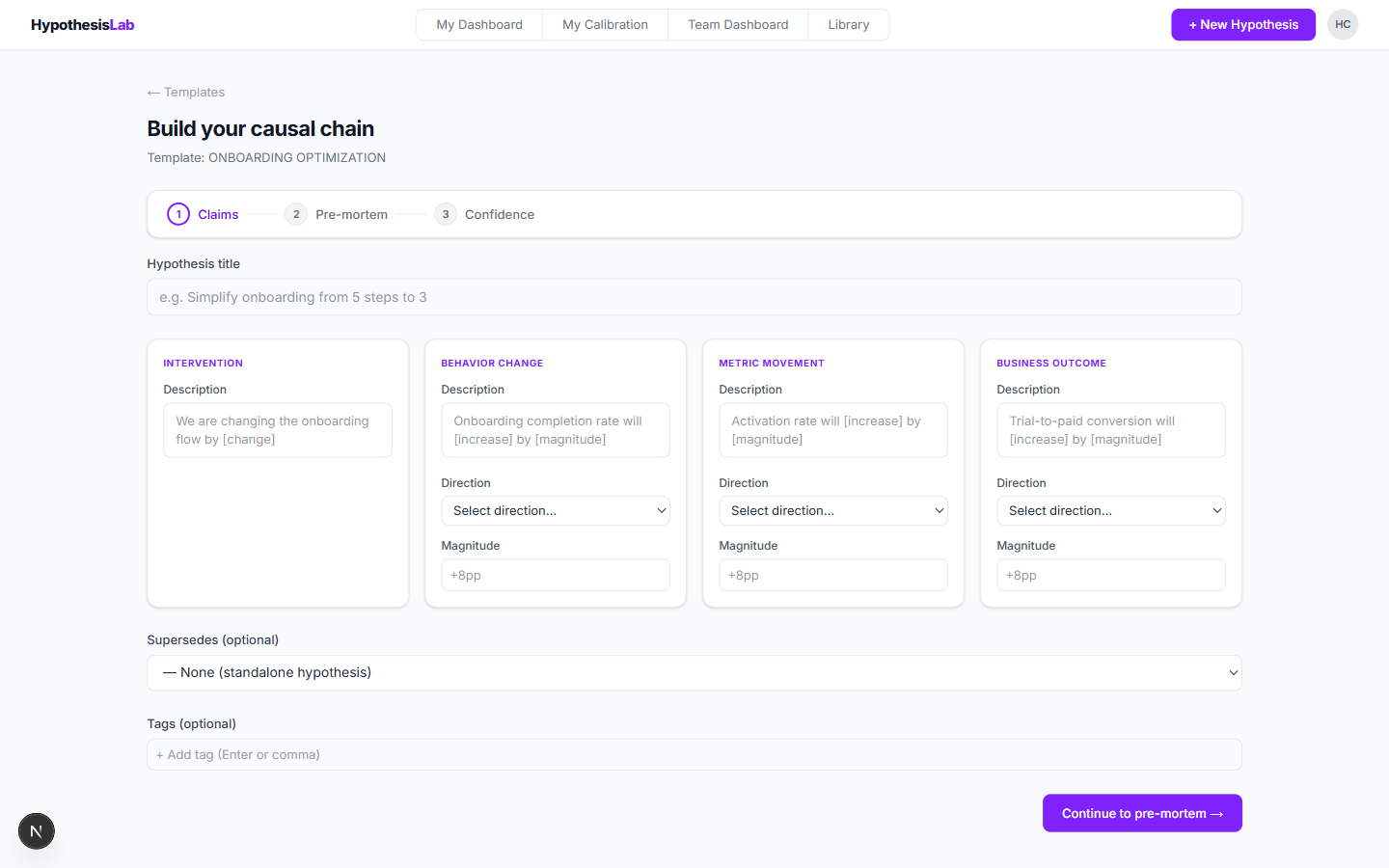
(Optional) Link to a previous hypothesis
If this hypothesis replaces or builds on an earlier one, pick it from the Supersedes dropdown. The two will be linked in your dashboard and library.
Leave it as None for a standalone hypothesis.

(Optional) Add tags
Tags are how you slice your dashboard later — e.g. growth, retention, pricing. Type a tag and press Enter or comma to add it. You can add as many as you want.

4. Continue to the pre-mortem
When the chain is complete, click Continue to pre-mortem →. Confidence is not set here — you'll rate your confidence after the pre-mortem step, so the act of imagining failure can adjust it.

Saved as a draft. From this point on, the hypothesis exists as a draft on your dashboard, even if you close the tab. You can return to it any time and pick up where you left off — the same three-step stepper appears on the draft detail page so you can jump to Pre-mortem or Confidence.
Previous: Navigation bar tour ← Next: Writing the pre-mortem →